

Prerequisites
You must have a Verified Peerlist Profile to be able to launch a project on the Peerlist Launchpad.Add a project to your profile
- Navigate to the Work tab on your profile. (peerlist.io/[username])
- Click on “New project”
- Complete all required project information
- Ensure your project reaches 100% completion status
- Save your project
Only projects that are 100% complete are eligible for launching on Launchpad. Make sure all required fields are filled out and your project description is comprehensive.
Launching your project
Monday is a launch day. The launchpad is open through Mondays, every week.Access Launchpad on Launch Day
- Visit peerlist.io/launchpad on Monday
-
Look for the “Launch” button prominently displayed in the top header
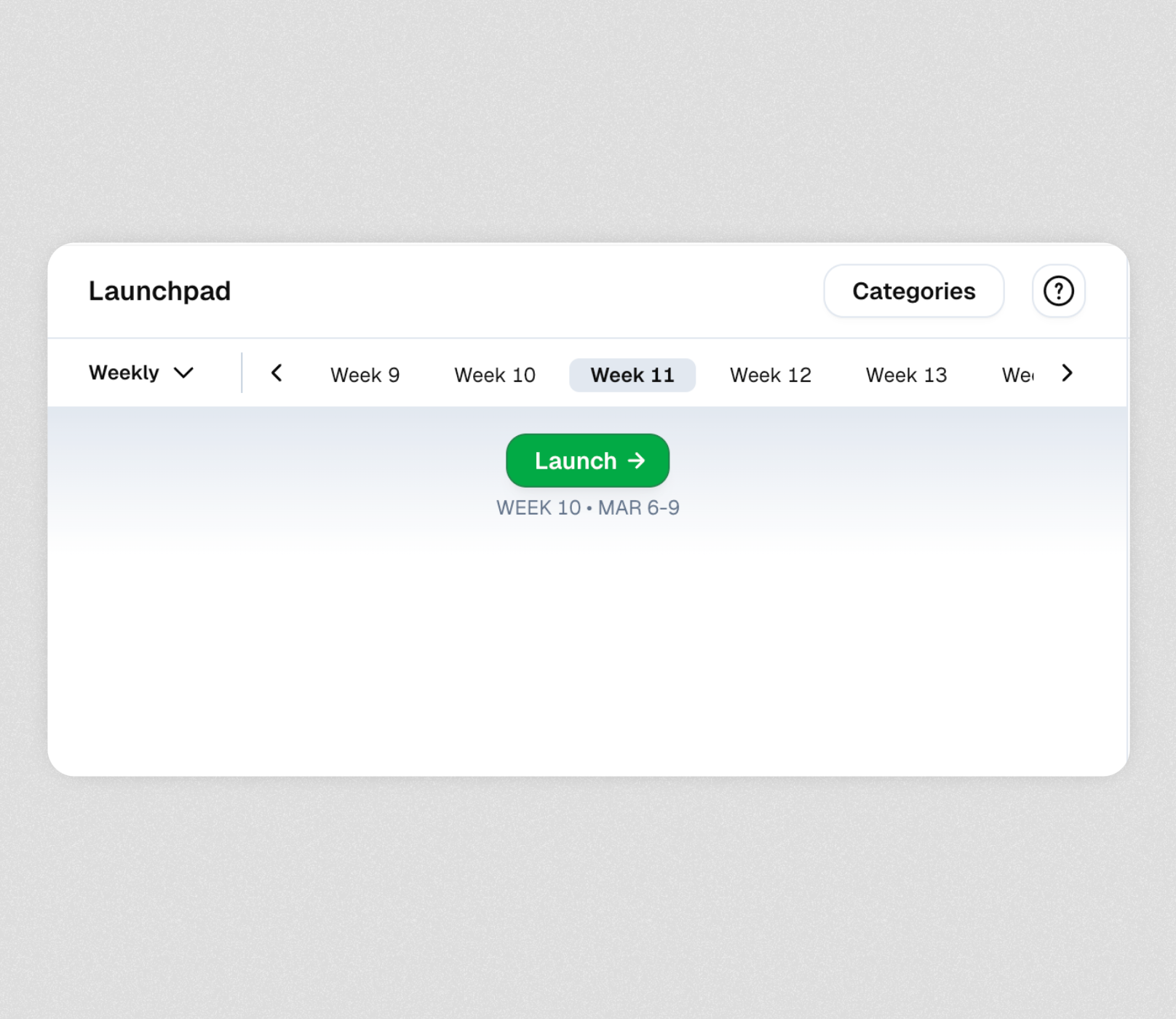
Launching your project
- Click on the “Launch →” button
- Select your project from the dropdown menu of eligible projects
-
Click “Launch Project”
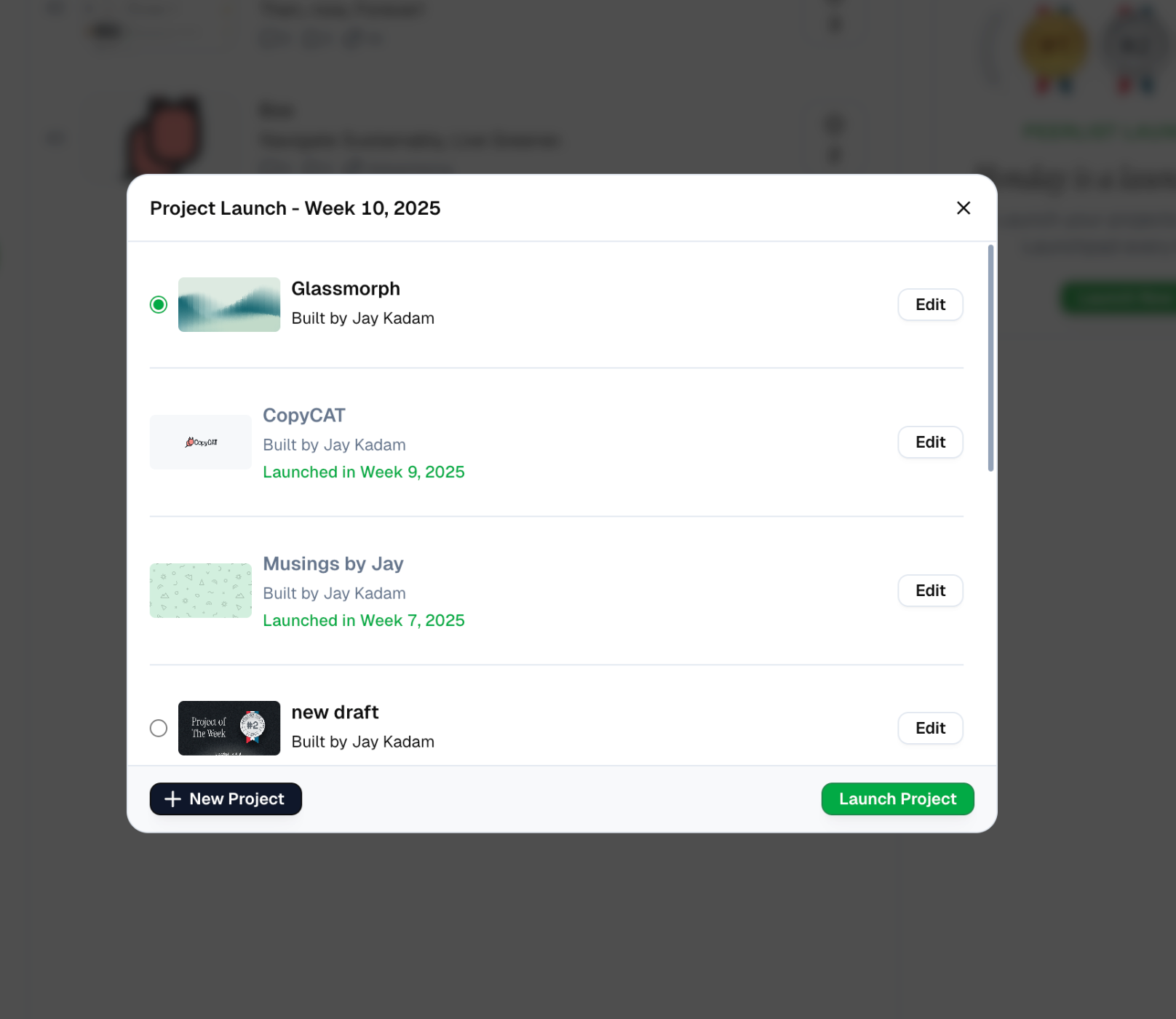
Celebrate your launch
- Your project will immediately go live on Peerlist Launchpad
- It will be visible to the entire Peerlist community
Scheduling a Launch
In case you missed launching on Monday or aren’t sure that you will make it in time for the next one, you can schedule a launch on any of the other days. Simply,1
Open your project
2
Click on the Launch button
3
From the modal, click on the Schedule Launch • Week Num button
4
And your launch will be scheduled!
Incase your project details aren’t 100% complete, your launch will fail. To avoid any failures, make sure that it is 100% complete before it launches on Monday.
After Launching
Once your project is live on Launchpad, you can:- Share the project link with your network
- Engage with community feedback and comments
- Track views and interactions with your project
- Connect with others who show interest in your work