> ## Documentation Index
> Fetch the complete documentation index at: https://help.peerlist.io/llms.txt
> Use this file to discover all available pages before exploring further.
# How to add projects on Peerlist
> Here’s a simple step-by-step guide on how to add projects on your Peerlist profile.
export const PEERLIST_EXTERNAL_LINKS = {
addProject: 'https://peerlist.io/user/projects/add-project',
addExperience: 'https://peerlist.io/user/resume/add-experience',
addEducation: 'https://peerlist.io/user/resume/add-education',
addCertification: 'https://peerlist.io/user/resume/add-certification',
addVolunteerWork: 'https://peerlist.io/user/resume/add-volunteer-work',
addCohort: 'https://peerlist.io/user/resume/add-cohort',
signup: 'https://peerlist.io/signup',
customDomain: 'https://peerlist.io/user/settings/custom-domain',
verification: 'https://peerlist.io/user/settings/verification',
projects: 'https://peerlist.io/projects',
launchpad: 'https://peerlist.io/launchpad',
account: "https://peerlist.io/user/settings/account"
};
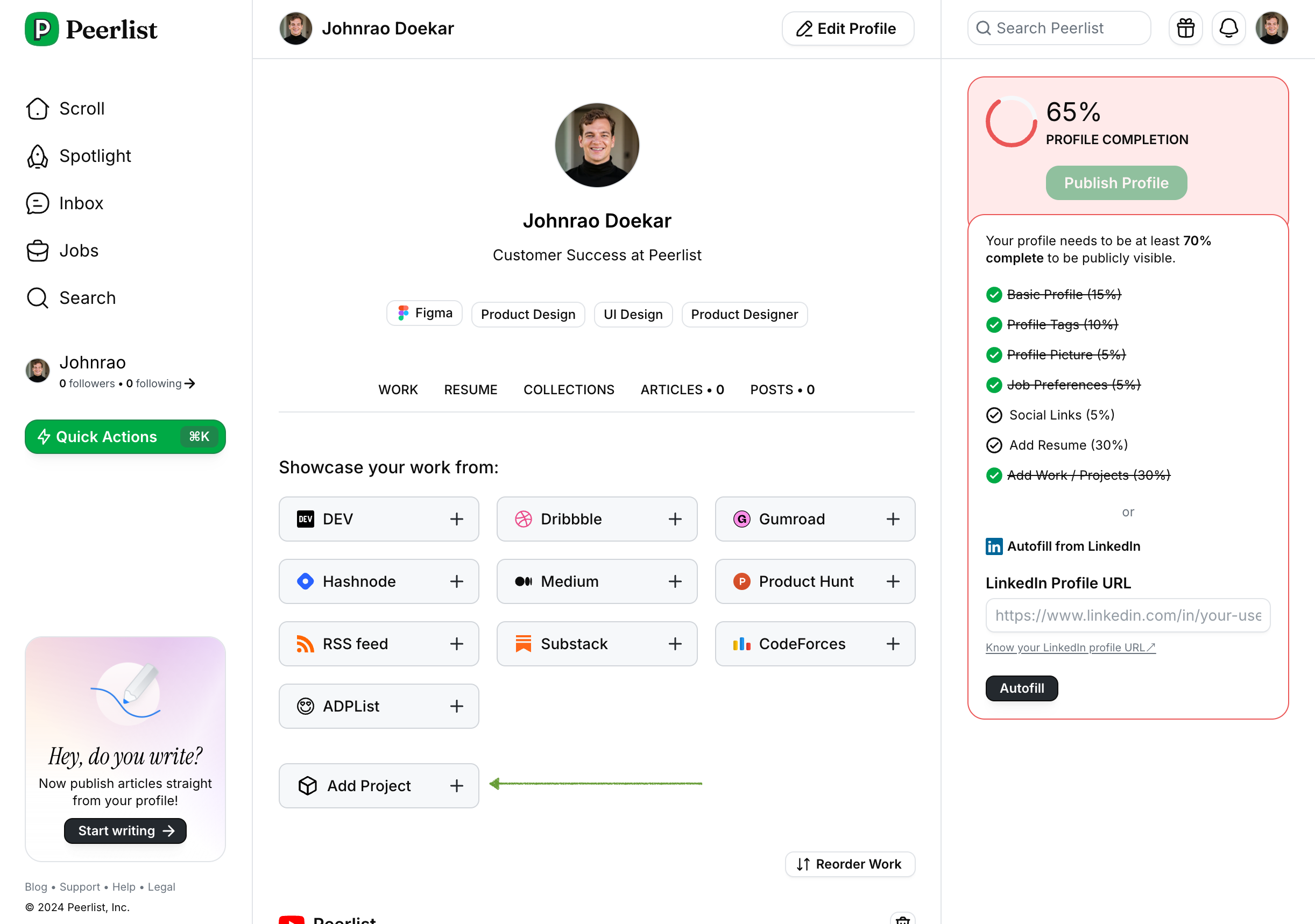 You can add projects by clicking on Add Projects button on Work tab (refer above screenshot). Or simply open this link — {PEERLIST_EXTERNAL_LINKS.addProject}
It will open the Add Project form.
You can add projects by clicking on Add Projects button on Work tab (refer above screenshot). Or simply open this link — {PEERLIST_EXTERNAL_LINKS.addProject}
It will open the Add Project form.
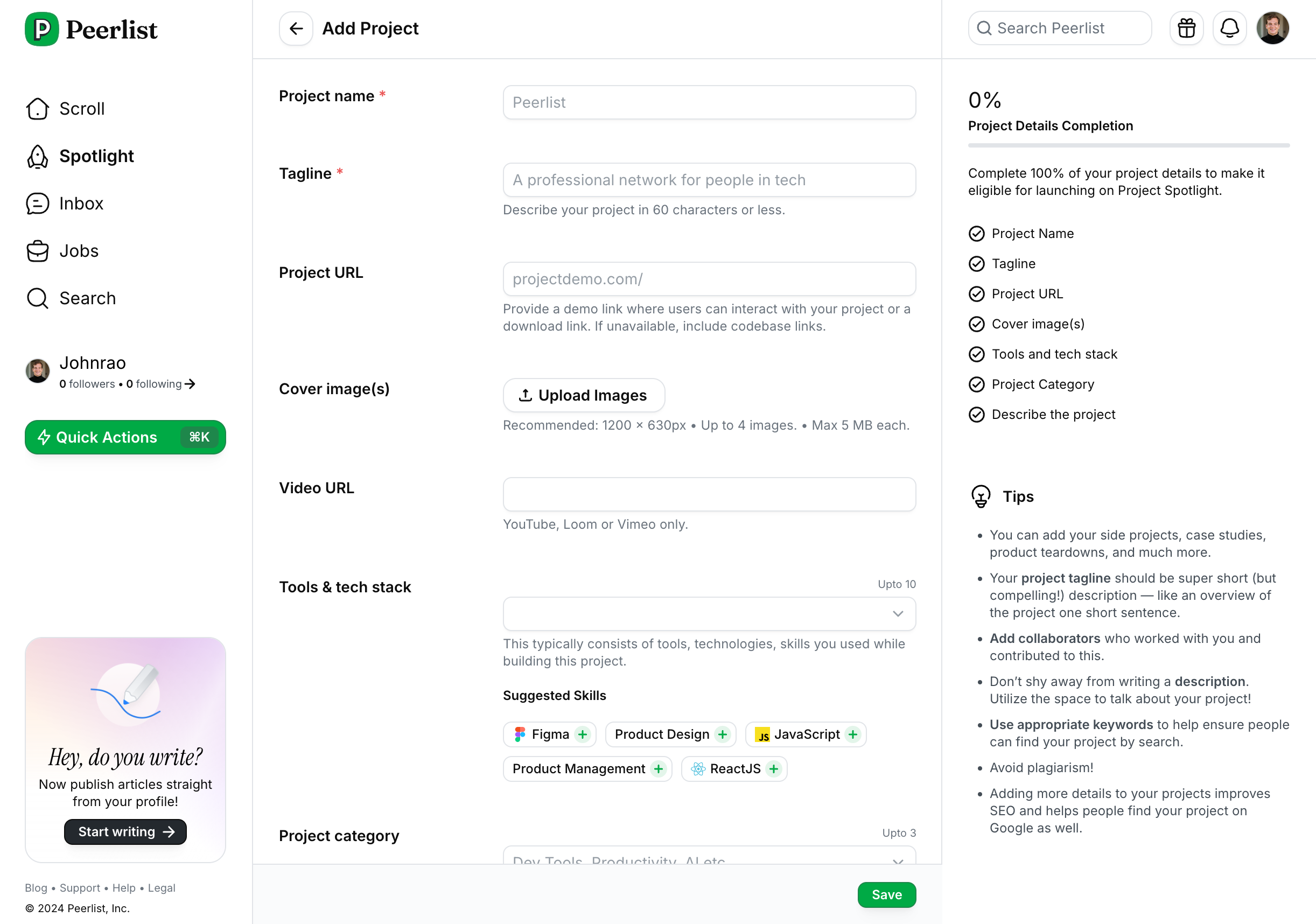 Add the following details:
* Project name
* Tagline
* Project URL (demo link or landing page)
* Cover images (up to 4)
* Video URL
* Tools and tech stack
* Project category
* Check Yes if the project is open source
* Project description (highly recommended)
Add as much details as possible while adding the project. It will improve the SEO and make it discoverable on Google search.
Add the following details:
* Project name
* Tagline
* Project URL (demo link or landing page)
* Cover images (up to 4)
* Video URL
* Tools and tech stack
* Project category
* Check Yes if the project is open source
* Project description (highly recommended)
Add as much details as possible while adding the project. It will improve the SEO and make it discoverable on Google search.