> ## Documentation Index
> Fetch the complete documentation index at: https://help.peerlist.io/llms.txt
> Use this file to discover all available pages before exploring further.
# How to create a Peerlist profile?
> Here’s a simple step-by-step guide on how to add projects on your Peerlist profile.
export const GOOGLE_SSO = "https://support.google.com/accounts/answer/12849458";
export const PEERLIST_EXTERNAL_LINKS = {
addProject: 'https://peerlist.io/user/projects/add-project',
addExperience: 'https://peerlist.io/user/resume/add-experience',
addEducation: 'https://peerlist.io/user/resume/add-education',
addCertification: 'https://peerlist.io/user/resume/add-certification',
addVolunteerWork: 'https://peerlist.io/user/resume/add-volunteer-work',
addCohort: 'https://peerlist.io/user/resume/add-cohort',
signup: 'https://peerlist.io/signup',
customDomain: 'https://peerlist.io/user/settings/custom-domain',
verification: 'https://peerlist.io/user/settings/verification',
projects: 'https://peerlist.io/projects',
launchpad: 'https://peerlist.io/launchpad',
account: "https://peerlist.io/user/settings/account"
};
export const APP_PATHS = {
home: "/",
termConditions: '/legal/terms-and-conditions',
privacyPolicy: '/legal/privacy-policy',
codeOfConduct: '/legal/code-of-conduct',
contentPolicies: '/legal/content-policies',
verification: '/individual/peerlist-profile/verification',
verificationIdentity: '/individual/peerlist-profile/verification/identity',
verificationWorkplace: '/individual/peerlist-profile/verification/workplace',
verificationEducation: '/individual/peerlist-profile/verification/education',
verificationBootcamp: '/individual/peerlist-profile/verification/bootcamp',
launchpadIntroduction: '/individual/launchpad/introduction',
launchpadHowToLaunch: '/individual/launchpad/how-to-launch-a-project-on-peerlist-launchpad',
launchpadFAQs: '/individual/launchpad/frequently-asked-questions-about-spotlight-by-peerlist',
launchpadGuidelines: '/individual/launchpad/guidelines-faqs',
scrollWhatCanIPost: '/individual/scroll/what-can-i-post-on-peerlist-scroll',
peerlistStreaks: '/individual/peerlist-streaks',
companyCreateProfile: '/company/profile/create-profile',
companyFAQs: '/company/profile/faqs',
companyPostJob: '/company/hiring-jobs/post-a-job',
companyCareerSite: '/company/hiring-jobs/career-site'
};
 ### Sign up for Peerlist
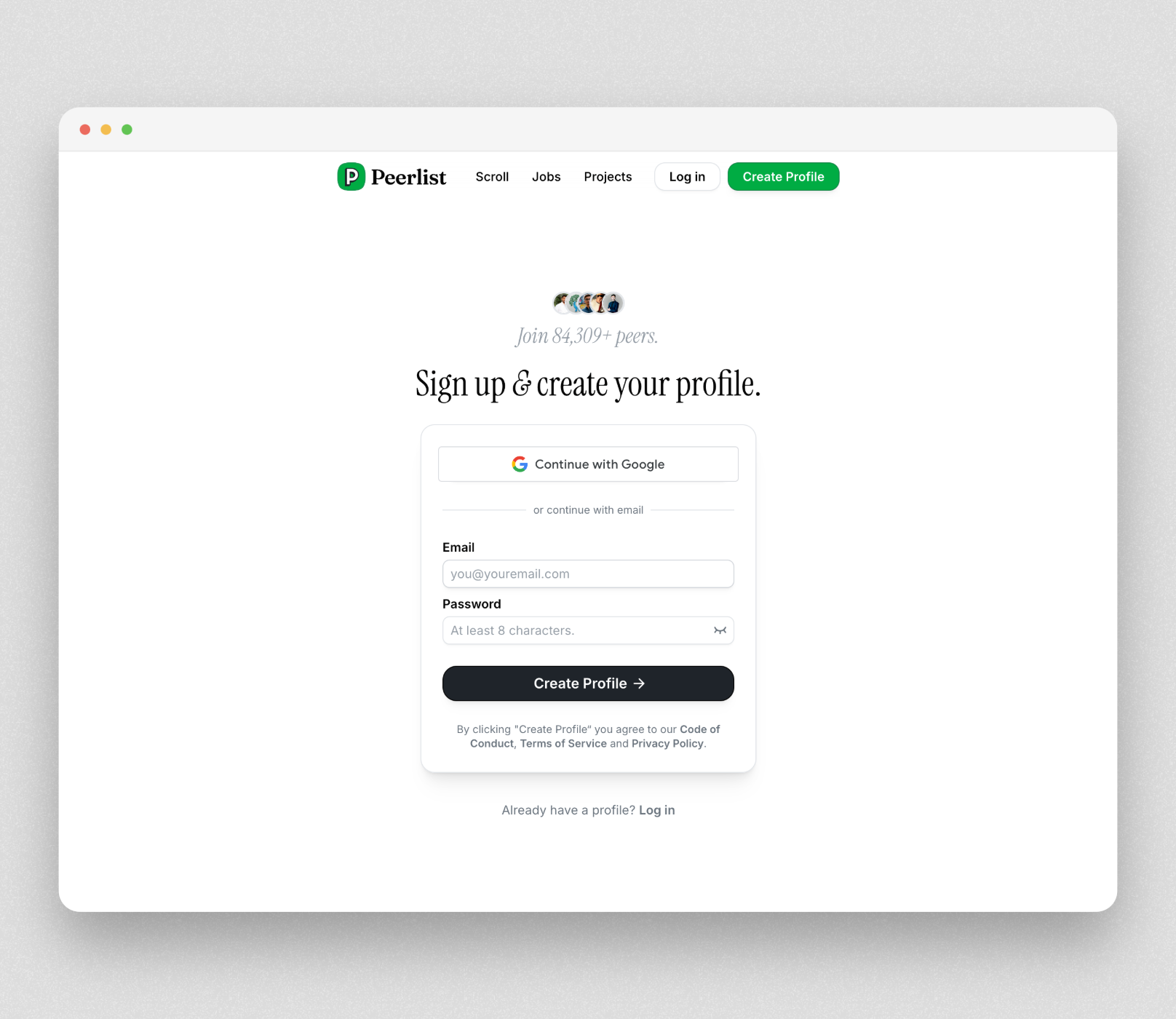
You can sign up for Peerlist with your Google account Google SSO or Email+Password
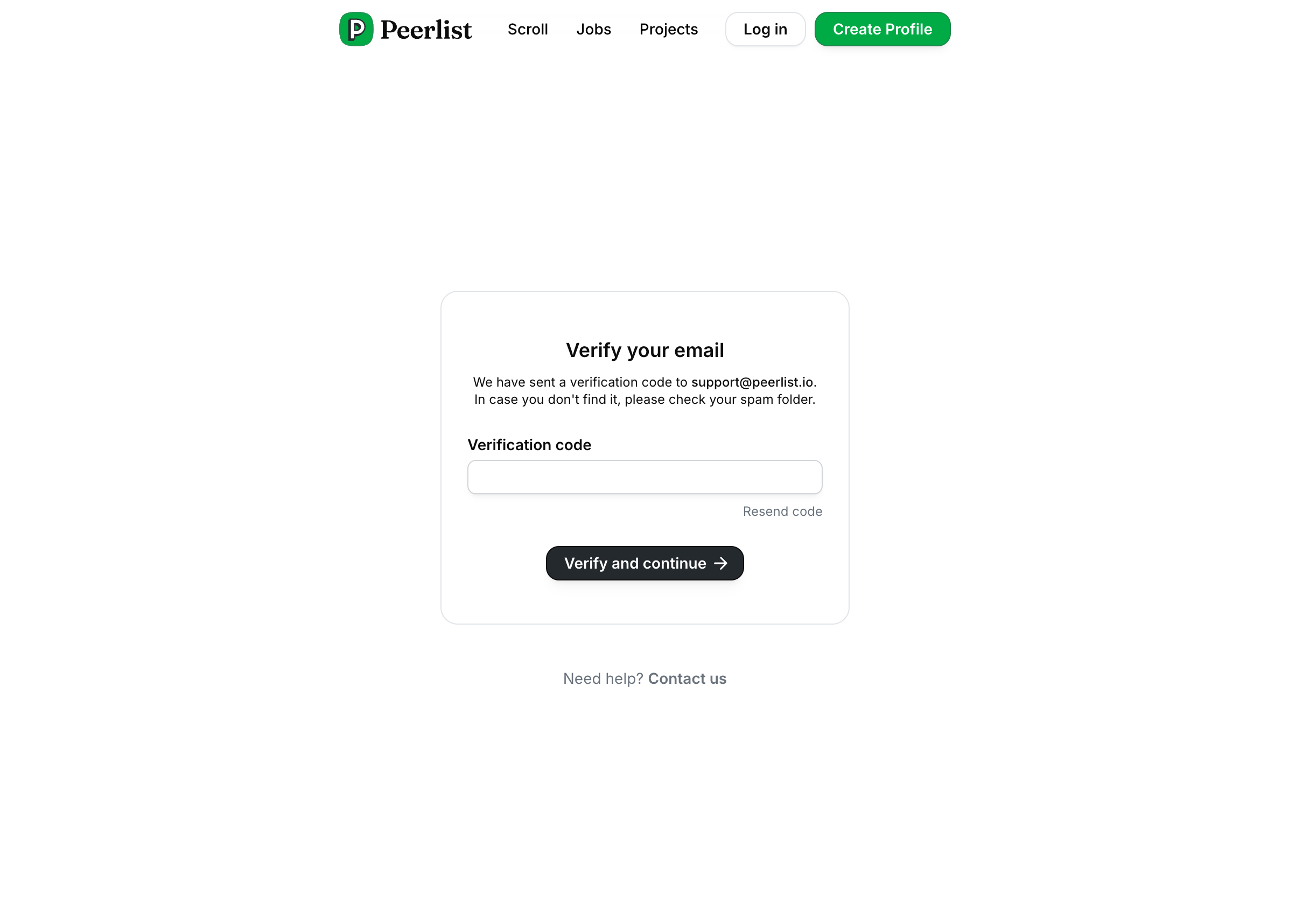
**Verify Email:** You will receive an one-time password to verify your email if you sign up with email+password.
### Sign up for Peerlist
You can sign up for Peerlist with your Google account Google SSO or Email+Password
**Verify Email:** You will receive an one-time password to verify your email if you sign up with email+password.
 **Username**: Select your desired username aka profile handle. Usernames are subjects to availability. Please refer to our Terms for username.
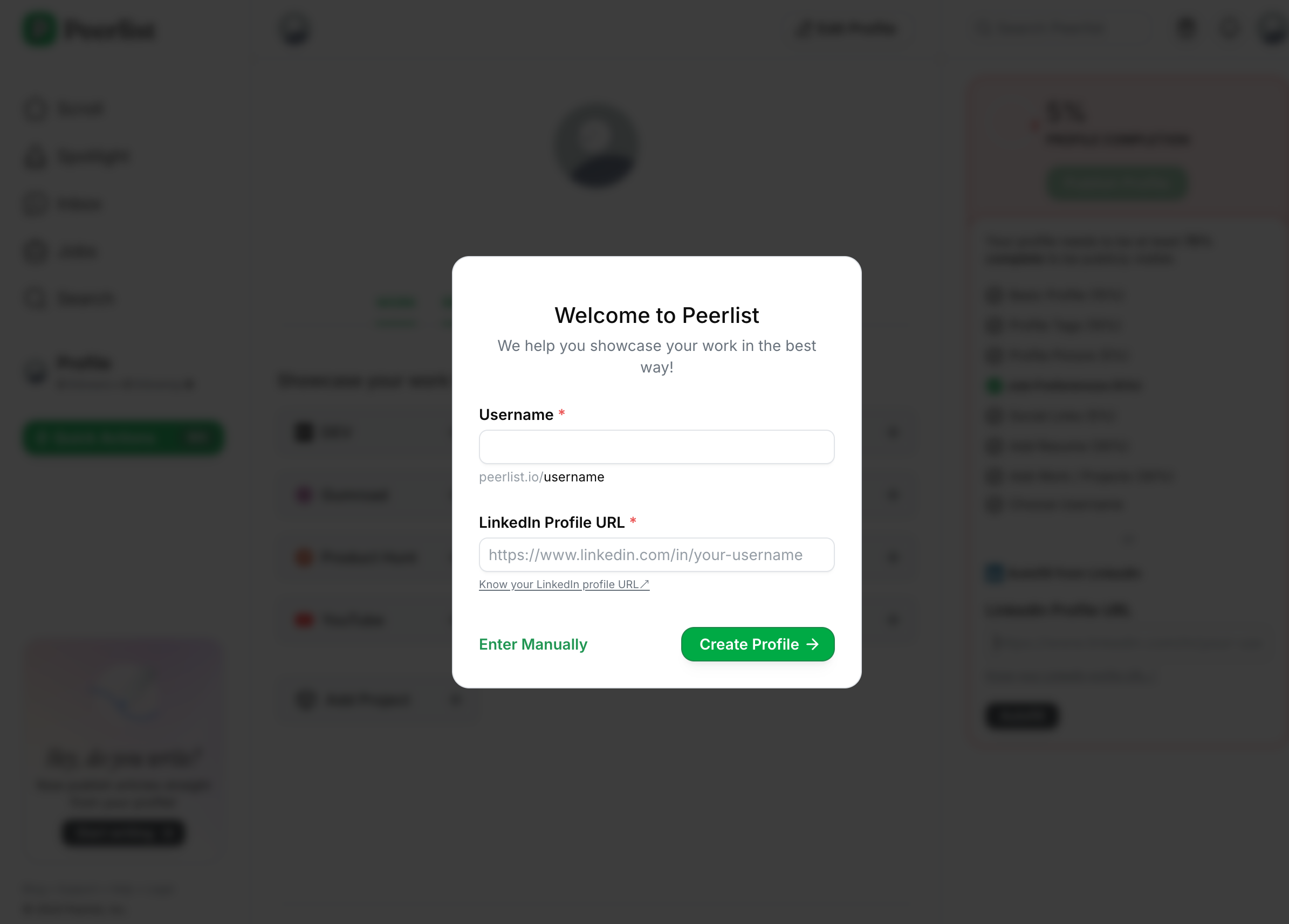 **LinkedIn Profile URL**: You can share your LinkedIn profile URL to autofill some details like: first/last name, profile picture, work experience, education, certifications, projects, etc. This options makes the onboarding super fast and is recommended.
Please note that:
* We can autofill only if your LinkedIn profile is publicly available.
* You can use Autofill with LinkedIn only 3 times.
* This is a one-time import. That means it does not sync your LinkedIn profile and Peerlist profile and won’t automatically update the information in future.
* We try our best to get the most updated information from your Peerlist profile. But do cross-check the imported data is correct. If not; make the appropriate correction manually.
**Enter manually**: In case we couldn’t import your data from LinkedIn, please proceed with the Enter Manually option.
**LinkedIn Profile URL**: You can share your LinkedIn profile URL to autofill some details like: first/last name, profile picture, work experience, education, certifications, projects, etc. This options makes the onboarding super fast and is recommended.
Please note that:
* We can autofill only if your LinkedIn profile is publicly available.
* You can use Autofill with LinkedIn only 3 times.
* This is a one-time import. That means it does not sync your LinkedIn profile and Peerlist profile and won’t automatically update the information in future.
* We try our best to get the most updated information from your Peerlist profile. But do cross-check the imported data is correct. If not; make the appropriate correction manually.
**Enter manually**: In case we couldn’t import your data from LinkedIn, please proceed with the Enter Manually option.
 ### Profile Tags
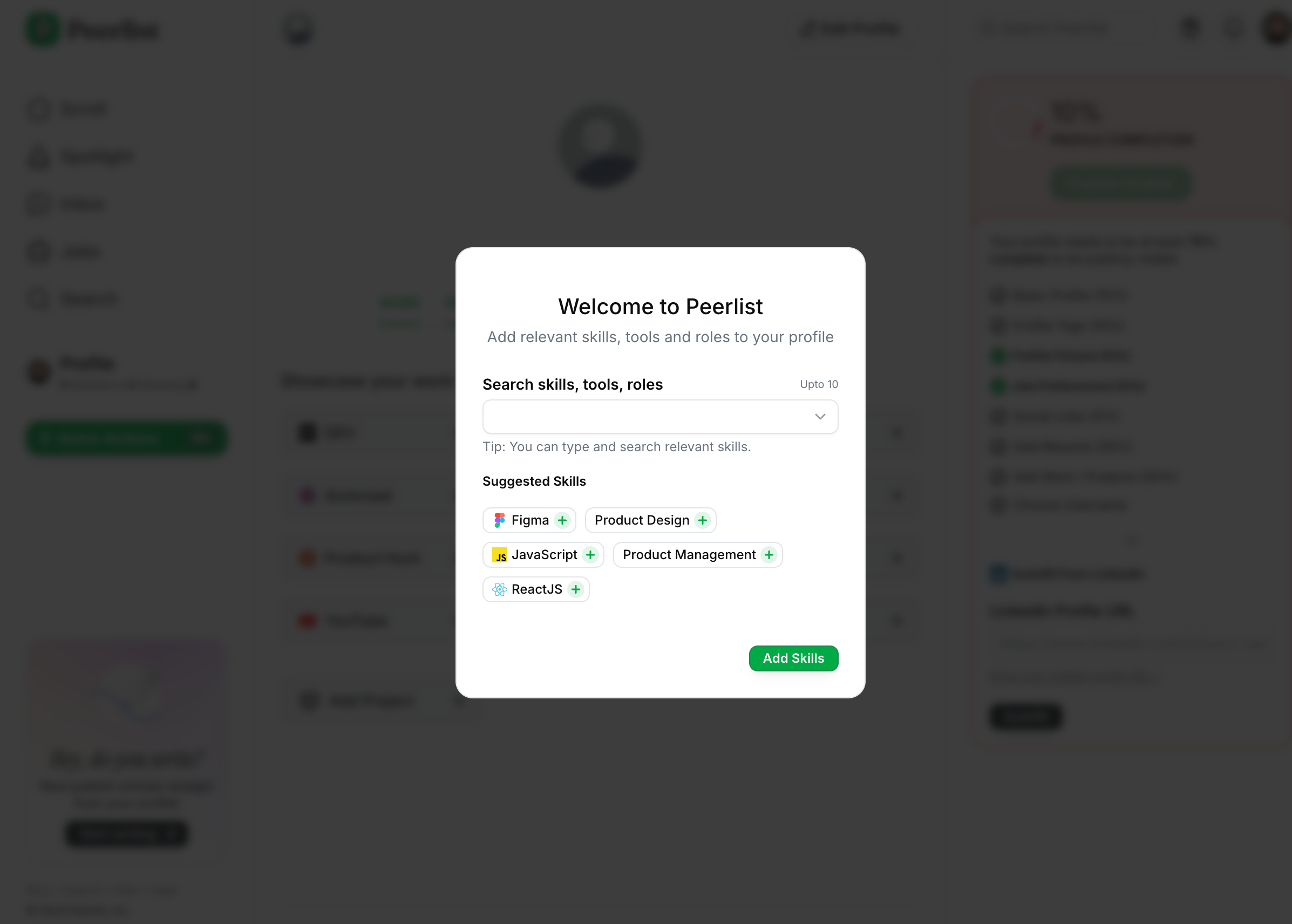
Profile tags are extremely helpful to make your profile searchable. These are like keywords. You can add skills, tools, and roles as profile tags.
### Profile Tags
Profile tags are extremely helpful to make your profile searchable. These are like keywords. You can add skills, tools, and roles as profile tags.
 ***
### Do’s and Don’t
* **Profile Picture**: A professional headshot or portrait photo is recommended. Anything obscene will lead to profile suspension.
* **First and Last Name**: Your legal name should be used. Do not use anything else like company name or combination of your legal name like website, role, emojis, etc. For ex:
* Johnrao Doekar Visit ➡️ johndoe.com
* John The Product Designer 🧑🏻🎨
* Johnrao Doekar Follow For Content Marketing Tips
* **Bio**: Share briefly about yourself. What you do, where you work, etc.
* **Username**: Check our guidelines for username here.
***
## Profile Completion
To make sure your profile is visible it should be at least 40% complete. Profiles less than 40% completion are hidden.
***
## Profile FAQs
Your peerlist profile needs to be at least 70% complete to be publicly available. If your profile is not complete and unpublished, certain features are restricted to access.
It can have multiple reasons. Most common are:
* Using obscene or unprofessional display name or profile picture.
* Publishing Articles for SEO or backlink farming.
* Using individual profile as company profile with brand name and logo.
* Violation of Peerlist Terms and Conditions.
* Multiple instances of spamming. This might include violating our rules and guidelines for Scroll, Launchpad, Jobs, etc.
***
### Do’s and Don’t
* **Profile Picture**: A professional headshot or portrait photo is recommended. Anything obscene will lead to profile suspension.
* **First and Last Name**: Your legal name should be used. Do not use anything else like company name or combination of your legal name like website, role, emojis, etc. For ex:
* Johnrao Doekar Visit ➡️ johndoe.com
* John The Product Designer 🧑🏻🎨
* Johnrao Doekar Follow For Content Marketing Tips
* **Bio**: Share briefly about yourself. What you do, where you work, etc.
* **Username**: Check our guidelines for username here.
***
## Profile Completion
To make sure your profile is visible it should be at least 40% complete. Profiles less than 40% completion are hidden.
***
## Profile FAQs
Your peerlist profile needs to be at least 70% complete to be publicly available. If your profile is not complete and unpublished, certain features are restricted to access.
It can have multiple reasons. Most common are:
* Using obscene or unprofessional display name or profile picture.
* Publishing Articles for SEO or backlink farming.
* Using individual profile as company profile with brand name and logo.
* Violation of Peerlist Terms and Conditions.
* Multiple instances of spamming. This might include violating our rules and guidelines for Scroll, Launchpad, Jobs, etc.