> ## Documentation Index
> Fetch the complete documentation index at: https://help.peerlist.io/llms.txt
> Use this file to discover all available pages before exploring further.
# How do I launch a project on Peerlist Launchpad?
> Peerlist Launchpad is a dedicated space for showcasing your projects to the Peerlist community. This guide will walk you through the process of launching your project on Launchpad, from preparation to going live.
export const APP_PATHS = {
home: "/",
termConditions: '/legal/terms-and-conditions',
privacyPolicy: '/legal/privacy-policy',
codeOfConduct: '/legal/code-of-conduct',
contentPolicies: '/legal/content-policies',
verification: '/individual/peerlist-profile/verification',
verificationIdentity: '/individual/peerlist-profile/verification/identity',
verificationWorkplace: '/individual/peerlist-profile/verification/workplace',
verificationEducation: '/individual/peerlist-profile/verification/education',
verificationBootcamp: '/individual/peerlist-profile/verification/bootcamp',
launchpadIntroduction: '/individual/launchpad/introduction',
launchpadHowToLaunch: '/individual/launchpad/how-to-launch-a-project-on-peerlist-launchpad',
launchpadFAQs: '/individual/launchpad/frequently-asked-questions-about-spotlight-by-peerlist',
launchpadGuidelines: '/individual/launchpad/guidelines-faqs',
scrollWhatCanIPost: '/individual/scroll/what-can-i-post-on-peerlist-scroll',
peerlistStreaks: '/individual/peerlist-streaks',
companyCreateProfile: '/company/profile/create-profile',
companyFAQs: '/company/profile/faqs',
companyPostJob: '/company/hiring-jobs/post-a-job',
companyCareerSite: '/company/hiring-jobs/career-site'
};
export const SUPPORT_EMAIL = "support@peerlist.io";
export const PEERLIST_EXTERNAL_LINKS = {
addProject: 'https://peerlist.io/user/projects/add-project',
addExperience: 'https://peerlist.io/user/resume/add-experience',
addEducation: 'https://peerlist.io/user/resume/add-education',
addCertification: 'https://peerlist.io/user/resume/add-certification',
addVolunteerWork: 'https://peerlist.io/user/resume/add-volunteer-work',
addCohort: 'https://peerlist.io/user/resume/add-cohort',
signup: 'https://peerlist.io/signup',
customDomain: 'https://peerlist.io/user/settings/custom-domain',
verification: 'https://peerlist.io/user/settings/verification',
projects: 'https://peerlist.io/projects',
launchpad: 'https://peerlist.io/launchpad',
account: "https://peerlist.io/user/settings/account"
};
## Prerequisites
You must have a **Verified Peerlist Profile** to be able to launch a project on the Peerlist Launchpad.
## **Add a project to your profile**
* Navigate to the Work tab on your profile. (peerlist.io/\[username])
* Click on "New project"
* Complete all required project information
* Ensure your project reaches 100% completion status
* Save your project
Only projects that are 100% complete are eligible for launching on Launchpad. Make sure all required fields are filled out and your project description is comprehensive.
***
## Launching your project
Monday is a launch day. The launchpad is open through Mondays, every week.
### **Access Launchpad on Launch Day**
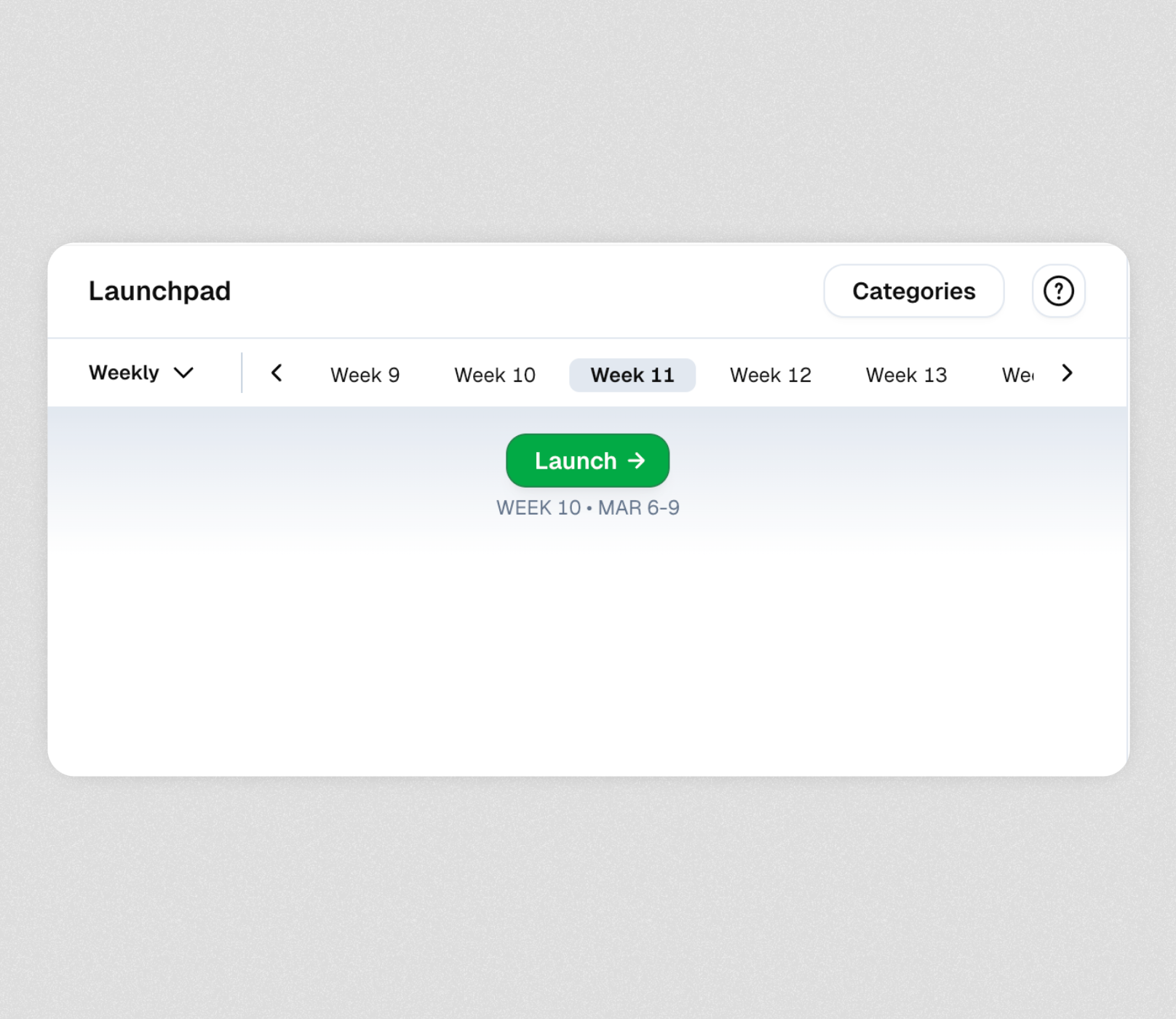
* Visit peerlist.io/launchpad on Monday
* Look for the "Launch" button prominently displayed in the top header
 ### **Launching your project**
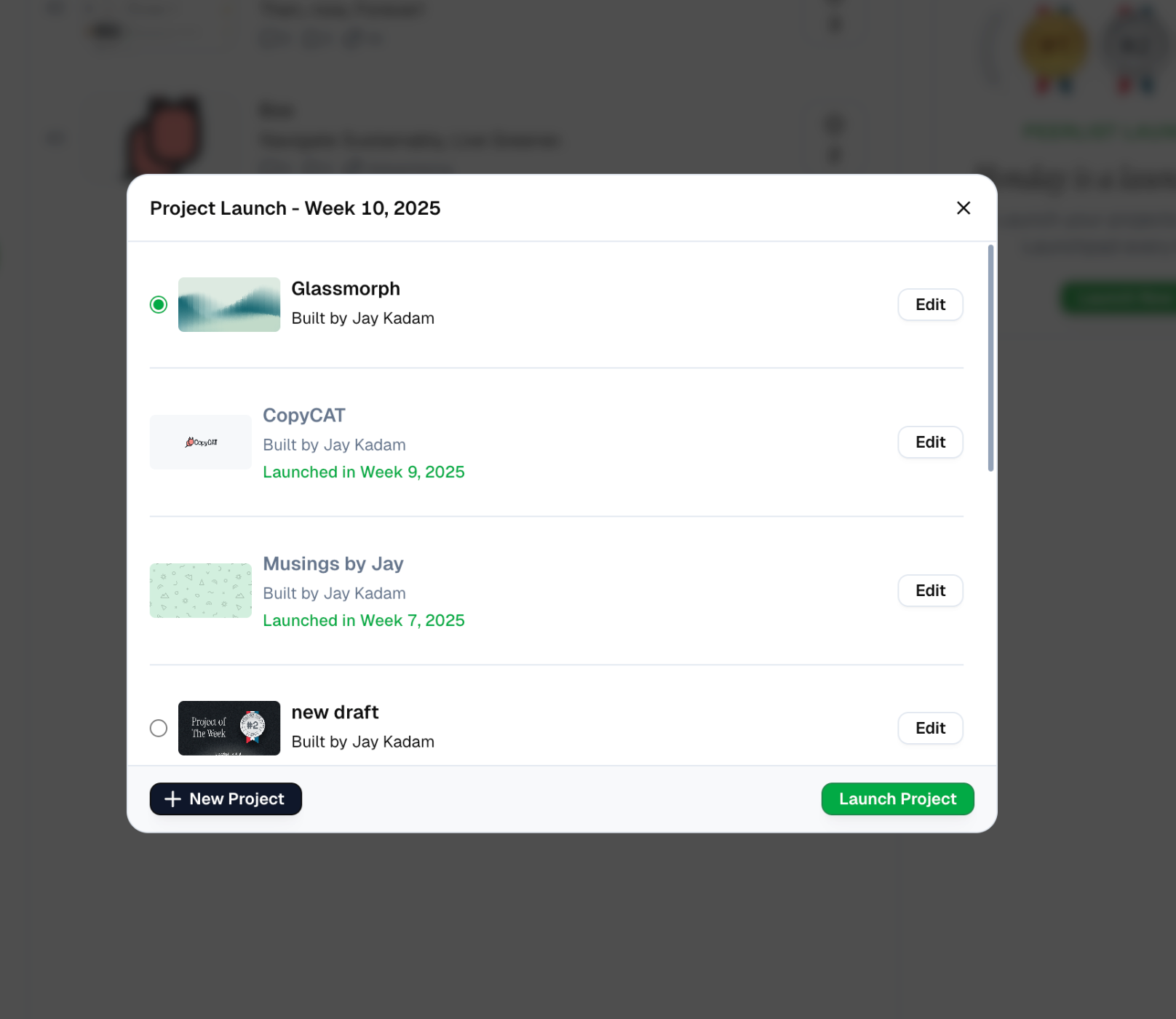
* Click on the "Launch →" button
* Select your project from the dropdown menu of eligible projects
* Click "Launch Project"
### **Launching your project**
* Click on the "Launch →" button
* Select your project from the dropdown menu of eligible projects
* Click "Launch Project"
 ### **Celebrate your launch**
* Your project will immediately go live on Peerlist Launchpad
* It will be visible to the entire Peerlist community
## Scheduling a Launch
In case you missed launching on Monday or aren't sure that you will make it in time for the next one, you can schedule a launch on any of the other days.
Simply,
Open your project
Click on the **Launch** button
### **Celebrate your launch**
* Your project will immediately go live on Peerlist Launchpad
* It will be visible to the entire Peerlist community
## Scheduling a Launch
In case you missed launching on Monday or aren't sure that you will make it in time for the next one, you can schedule a launch on any of the other days.
Simply,
Open your project
Click on the **Launch** button
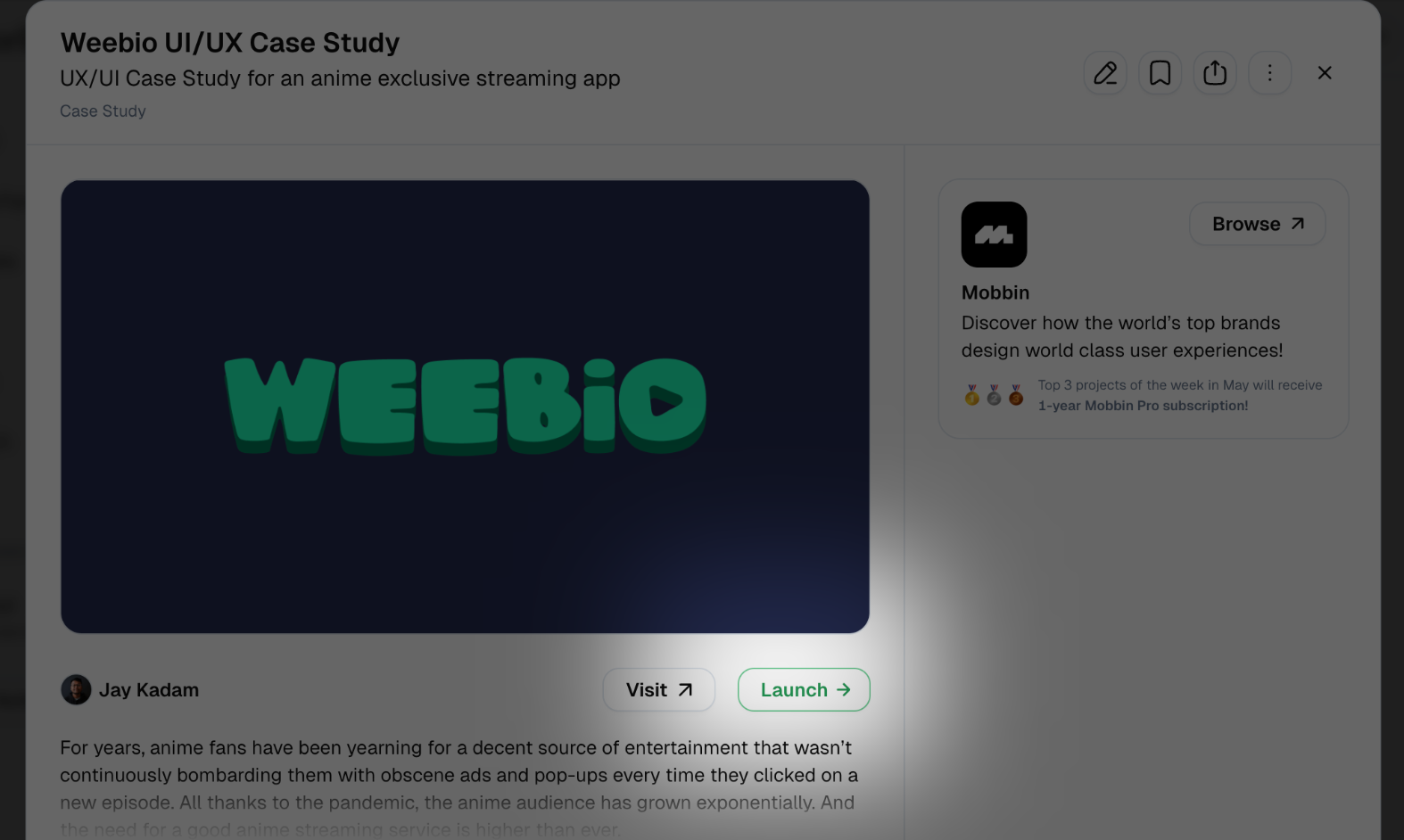 From the modal, click on the **Schedule Launch • Week Num** button
 And your launch will be scheduled!
 Incase your project details aren't **100% complete**, your launch will fail. To avoid any failures, make sure that it is 100% complete before it launches on Monday.
***
## After Launching
Once your project is live on Launchpad, you can:
* Share the project link with your network
* Engage with community feedback and comments
* Track views and interactions with your project
* Connect with others who show interest in your work
For additional support or questions about the Launchpad process, contact Peerlist support at {SUPPORT_EMAIL}.
Incase your project details aren't **100% complete**, your launch will fail. To avoid any failures, make sure that it is 100% complete before it launches on Monday.
***
## After Launching
Once your project is live on Launchpad, you can:
* Share the project link with your network
* Engage with community feedback and comments
* Track views and interactions with your project
* Connect with others who show interest in your work
For additional support or questions about the Launchpad process, contact Peerlist support at {SUPPORT_EMAIL}.