> ## Documentation Index
> Fetch the complete documentation index at: https://help.peerlist.io/llms.txt
> Use this file to discover all available pages before exploring further.
# How to create a company profile on Peerlist?
> Learn how to create a company profile on Peerlist.
export const APP_PATHS = {
home: "/",
termConditions: '/legal/terms-and-conditions',
privacyPolicy: '/legal/privacy-policy',
codeOfConduct: '/legal/code-of-conduct',
contentPolicies: '/legal/content-policies',
verification: '/individual/peerlist-profile/verification',
verificationIdentity: '/individual/peerlist-profile/verification/identity',
verificationWorkplace: '/individual/peerlist-profile/verification/workplace',
verificationEducation: '/individual/peerlist-profile/verification/education',
verificationBootcamp: '/individual/peerlist-profile/verification/bootcamp',
launchpadIntroduction: '/individual/launchpad/introduction',
launchpadHowToLaunch: '/individual/launchpad/how-to-launch-a-project-on-peerlist-launchpad',
launchpadFAQs: '/individual/launchpad/frequently-asked-questions-about-spotlight-by-peerlist',
launchpadGuidelines: '/individual/launchpad/guidelines-faqs',
scrollWhatCanIPost: '/individual/scroll/what-can-i-post-on-peerlist-scroll',
peerlistStreaks: '/individual/peerlist-streaks',
companyCreateProfile: '/company/profile/create-profile',
companyFAQs: '/company/profile/faqs',
companyPostJob: '/company/hiring-jobs/post-a-job',
companyCareerSite: '/company/hiring-jobs/career-site'
};
export const PEERLIST_EXTERNAL_LINKS = {
addProject: 'https://peerlist.io/user/projects/add-project',
addExperience: 'https://peerlist.io/user/resume/add-experience',
addEducation: 'https://peerlist.io/user/resume/add-education',
addCertification: 'https://peerlist.io/user/resume/add-certification',
addVolunteerWork: 'https://peerlist.io/user/resume/add-volunteer-work',
addCohort: 'https://peerlist.io/user/resume/add-cohort',
signup: 'https://peerlist.io/signup',
customDomain: 'https://peerlist.io/user/settings/custom-domain',
verification: 'https://peerlist.io/user/settings/verification',
projects: 'https://peerlist.io/projects',
launchpad: 'https://peerlist.io/launchpad',
account: "https://peerlist.io/user/settings/account"
};
## Prerequisites:
1. Create a personal profile on Peerlist. In case you don't have an account, you can sign up here
2. Get your work experience verified. In case you aren't, learn how to get your experience verified.
## Creating a company profile:
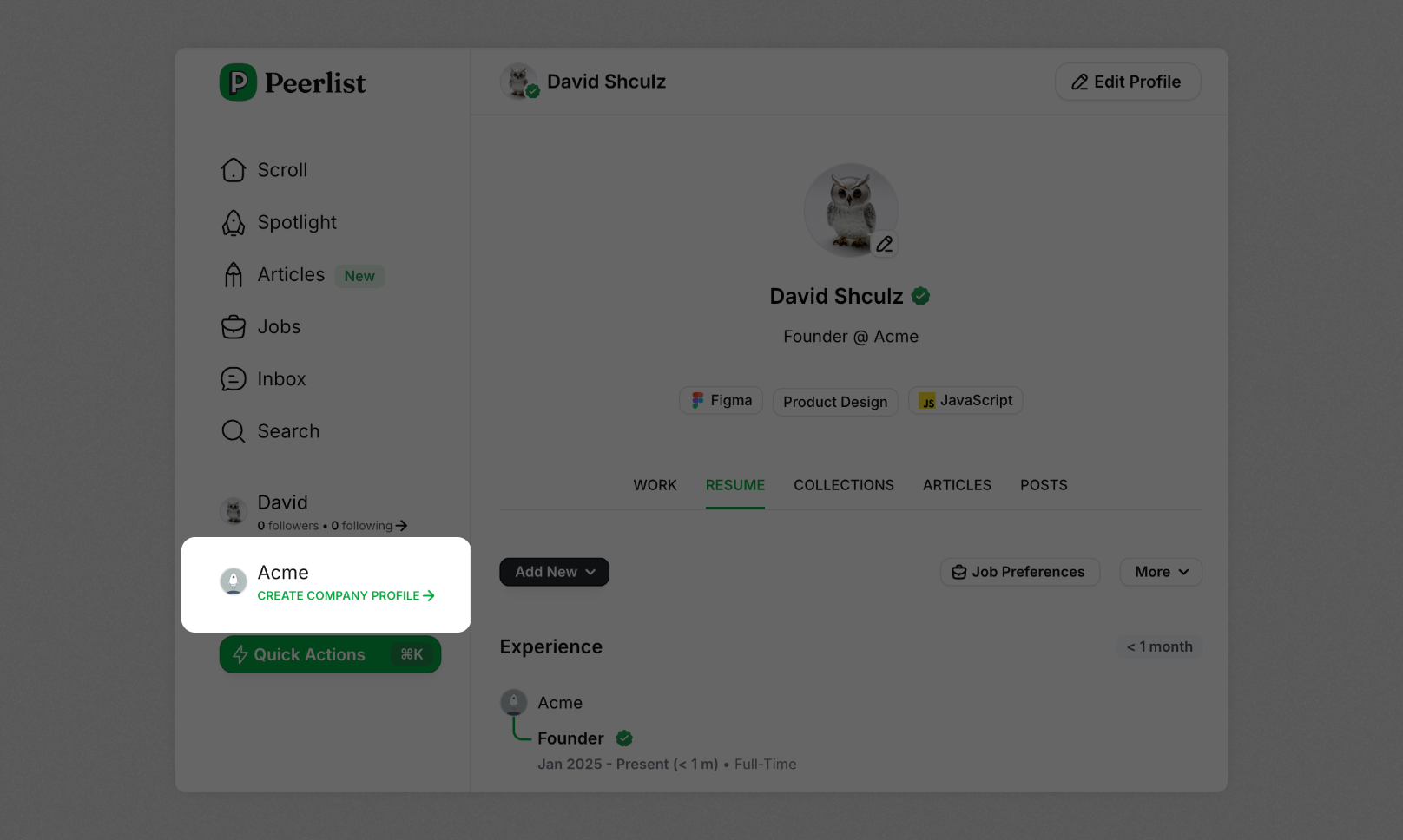
Once your experience is verified, click on the **"Create Company Profile"** button on the left sidebar.
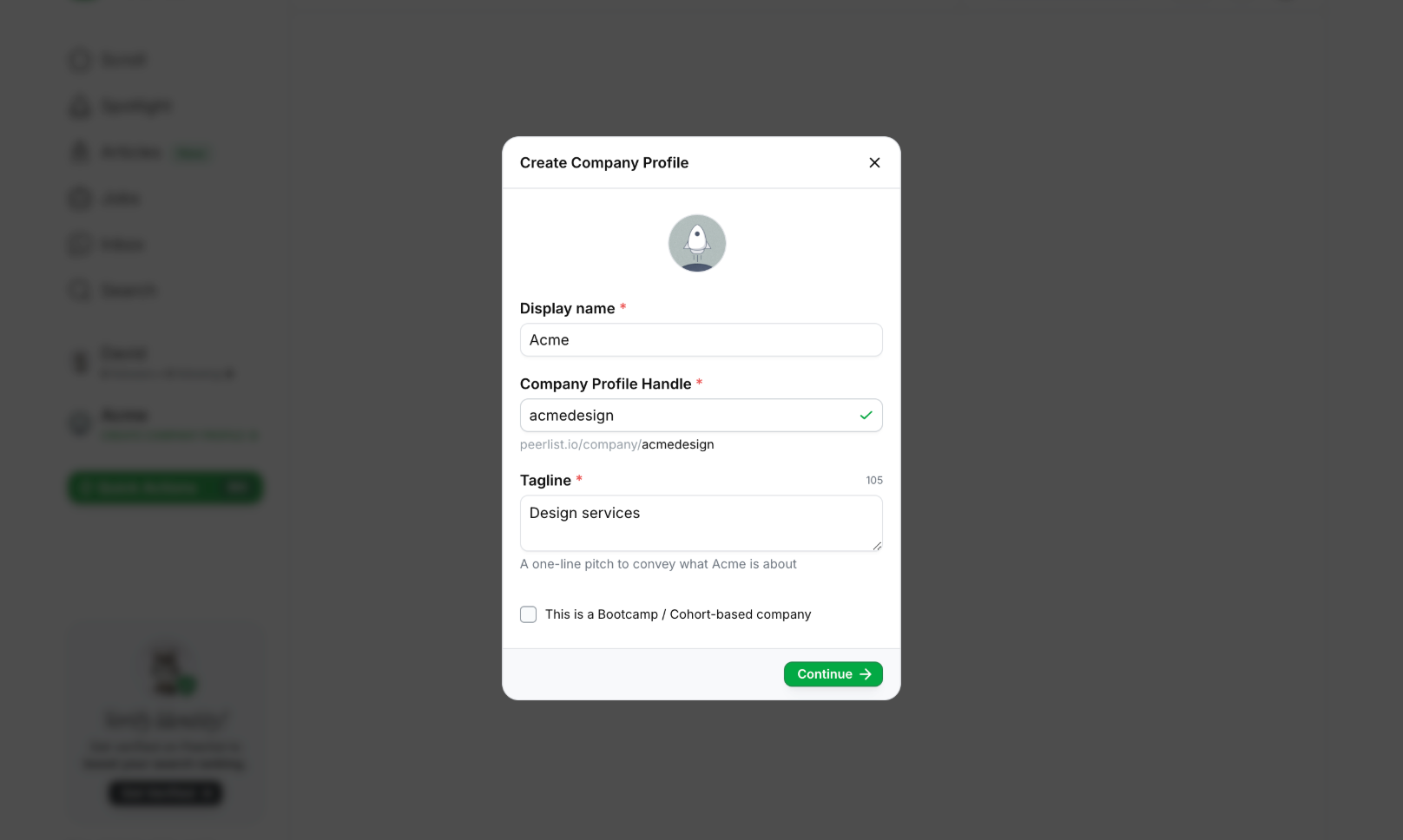
 In the next modal, add the details of your company. If you are a bootcamp, select the checkbox at the bottom and click **"Continue"**.
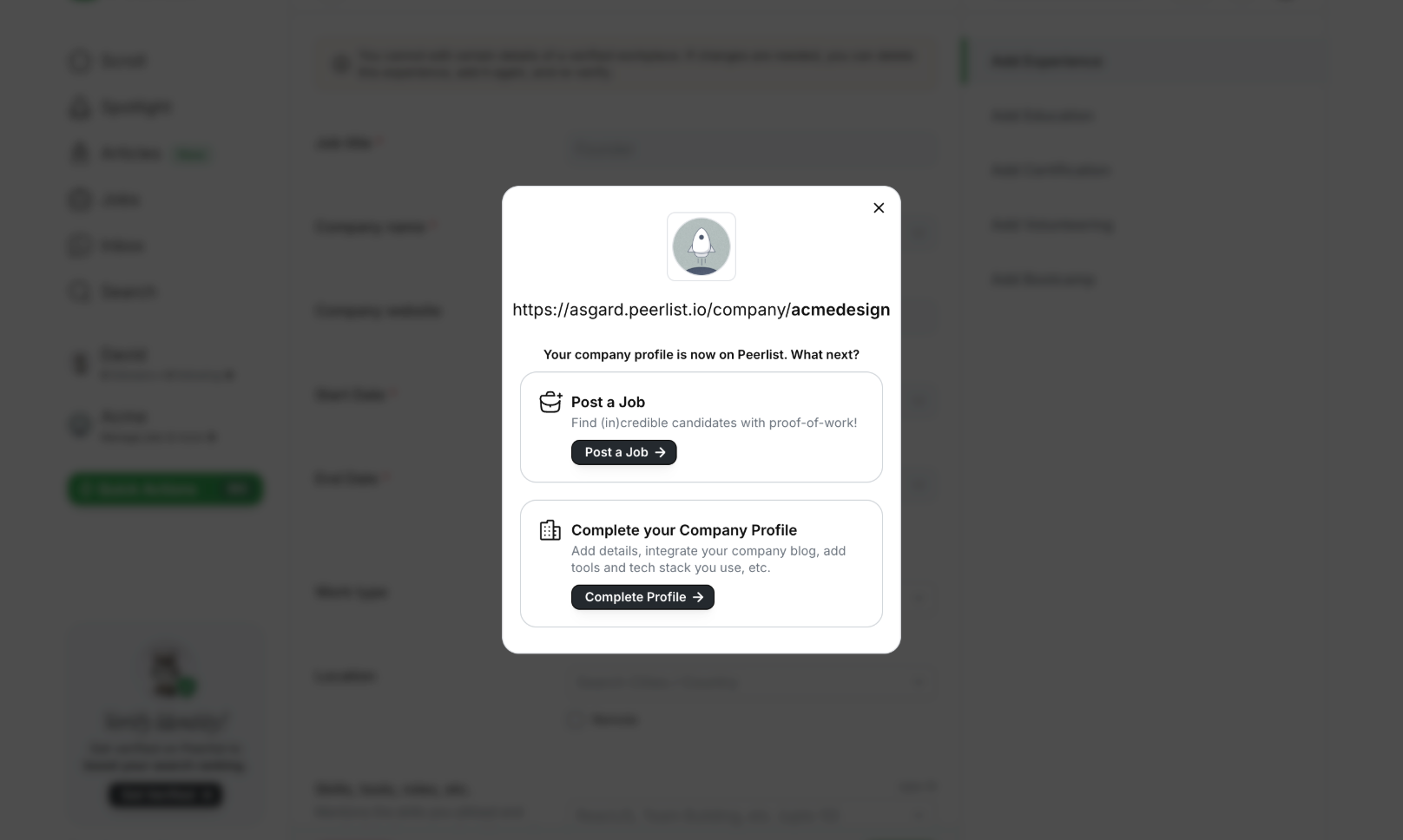
 After a confirmation, your company profile will be created!
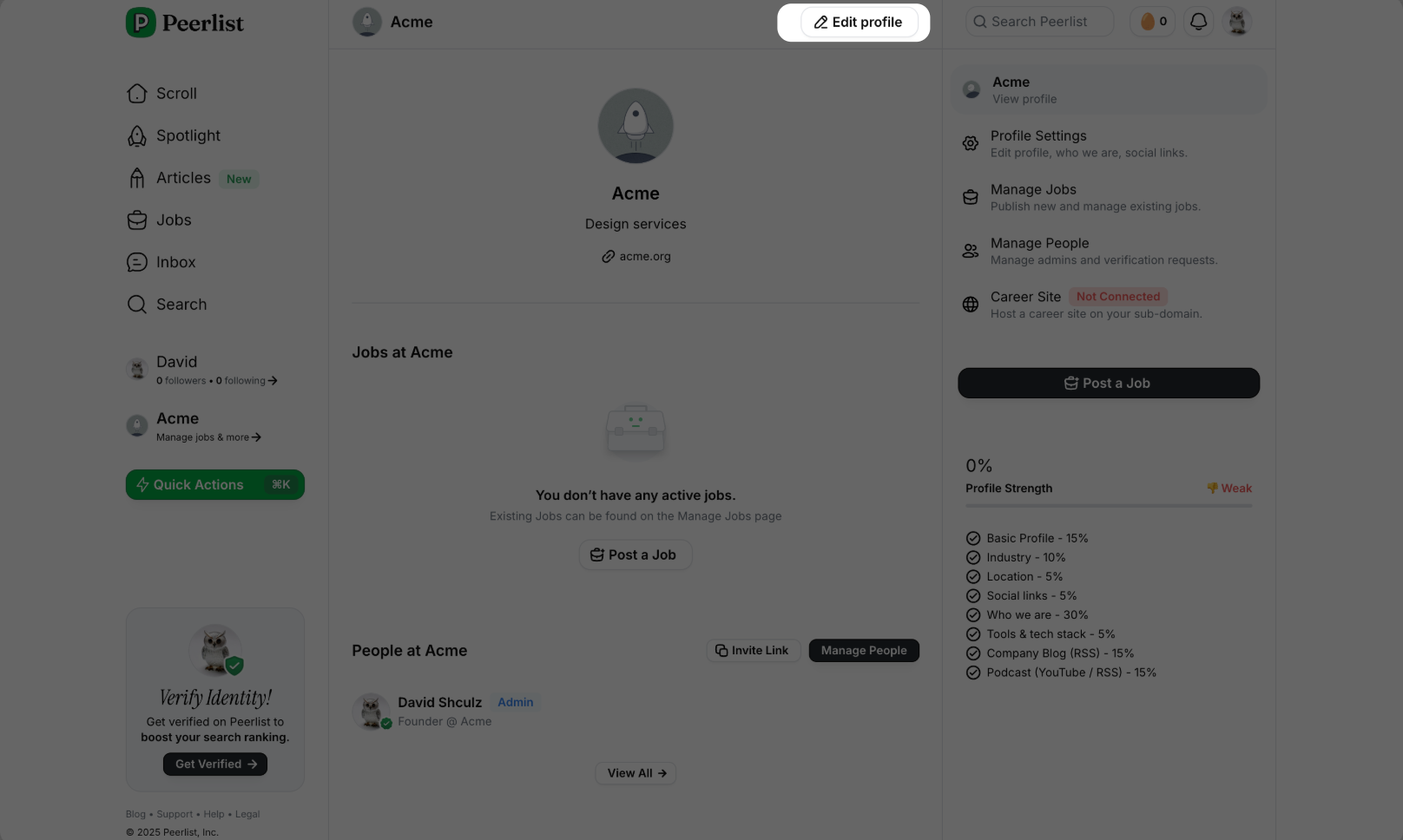
 Once the company profile is created, you can add more details to it by clicking on **"Edit profile".**